What Is the At Sign in Morse Code?
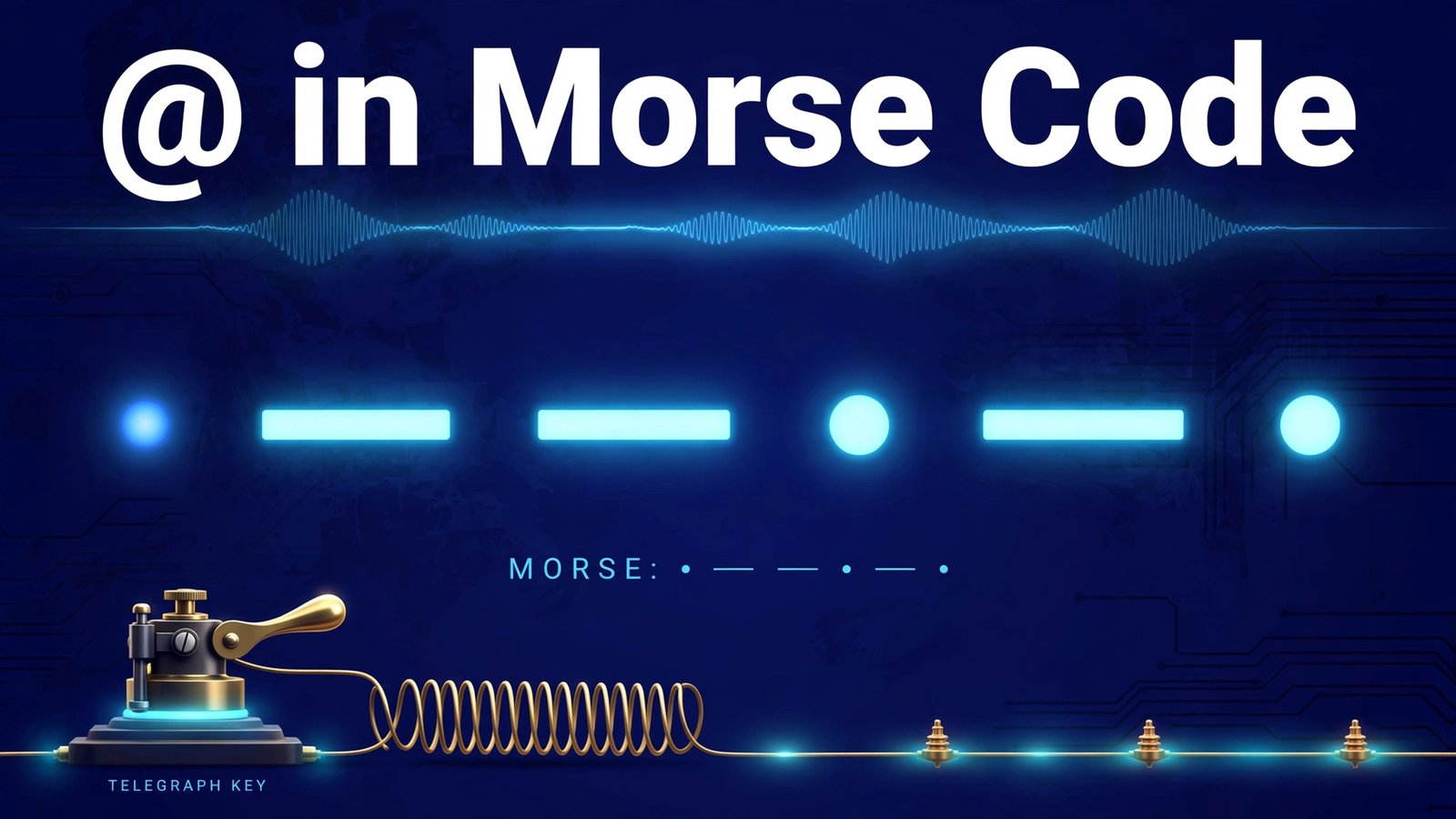
The at sign in Morse code is .--.-. — dot, dash, dash, dot, dash, dot. If you tap it out on a telegraph key, it sounds like a short blip, two long tones, a short blip, a long tone, and a final short blip: dit-dah-dah-dit-dah-dit.
It is one of the youngest characters in International Morse Code. The letters, numbers, and classic punctuation marks date back to the 1840s and the work of Samuel Morse and Alfred Vail, but the @ sign was not officially added until 2004, when the International Telecommunication Union (ITU) included it in the international standard. That makes it the first new Morse character added in decades — a late arrival in telegraph history.
Today you will rarely hear .--.-. on the air, but it has a real job: it lets radio amateurs spell out email addresses over the air, and it completes the punctuation set for anyone learning the full Morse code alphabet. If you are working through every character one by one, the at sign is the final symbol in the set — and a satisfying one to master.
Try it yourself as you read: open the Morse Code Translator on our homepage, type an email address, and listen to how the @ sounds between the letters.
A Brief History of the @ Symbol
The @ sign is far older than email. Long before it separated usernames from domains, it appeared in medieval manuscripts as a shorthand for the Latin word ad, meaning “at” or “toward”. By the 1500s, merchants across Europe were using it in invoices and ledgers to mean “at the rate of” — ten barrels @ three coins each, for example.
The symbol survived on typewriter keyboards and early computer terminals, but it was still a niche character until 1971, when engineer Ray Tomlinson needed a symbol that would never appear in a person’s name to separate the user from the host computer in the first email addresses. He picked @, and it became one of the most typed characters on Earth.
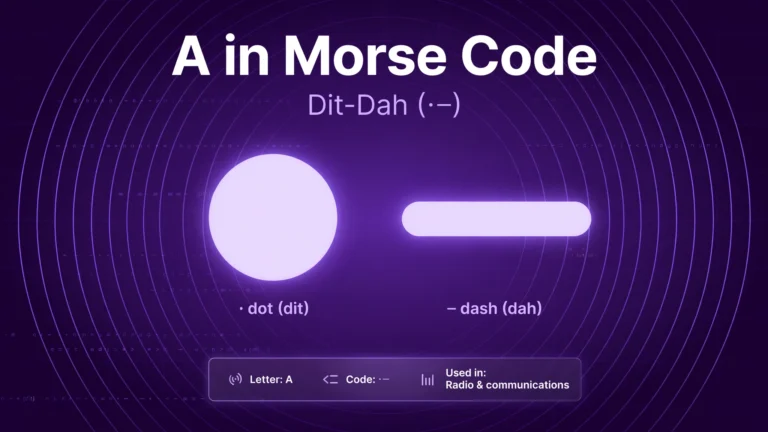
Morse code, however, moves slowly. The International Morse Code standard is maintained by the ITU, and adding a character requires international agreement. When the ITU published recommendation ITU-R M.1677-1, the at sign finally joined the official code — with a pattern built from two familiar letters. Look closely: .--.-. is the code for A (.-) followed immediately by the code for C (-.-.), run together as a single character. The combination is no accident: in telegraph and radio shorthand, @ was known as “commercial at”, and AC was its natural abbreviation. The pattern is a small tribute to the symbol’s commercial past.
How to Send @ in Morse Code
Sending .--.-. is straightforward once you know the timing rules that govern all of Morse code. A dot (dit) lasts one unit of time. A dash (dah) lasts three units. The gap between the elements of a single character is one unit, the gap between characters is three units, and the gap between words is seven units.
To send the at sign on a straight key:
- Dot — a quick press, one unit long.
- Dash — hold the key down for three units.
- Dash — another three-unit press.
- Dot — one unit.
- Dash — three units.
- Dot — one unit, and release.
At a comfortable learning speed of around 12 to 15 words per minute (WPM), the whole character takes about two seconds. The rhythm is the trick: think of it as di-dah-dah-di-dah-dit with a slight pause before the final dot, and the pattern quickly becomes muscle memory. If you are still building speed, our guide on how to learn Morse code explains the sound-based methods that make characters like this stick.
One common beginner mistake is splitting the pattern into two characters — sending A (.-) and then C (-.-.) with a character gap between them. Remember: the six elements of .--.-. belong to one character, so keep the internal gaps short and even. If a listener hears a gap, they will copy “AC” instead of “@”.
How to Read and Recognise the At Sign
Reading Morse code by ear is a different skill from sending it, and the at sign is a good test of it because the pattern is long. Six elements give your brain more to hold than a single dot or dash, so the best approach is to learn the rhythm as a single sound shape rather than counting elements.
Start by listening to the pattern at a slow speed, then gradually increase the speed while keeping the character spacing wide — this is the Farnsworth method, and it trains your ear to recognise the whole character at once. Say the rhythm out loud as you listen: di-dah-dah-di-dah-dit. After a dozen repetitions, most learners stop counting and simply recognise the shape.
Context helps too. In real messages, @ appears between a name and a domain — so if you copy something like “contact … example.com” and the middle character sounds like .--.-., you can be confident it is the at sign. The same trick applies to other punctuation: our guides to the colon in Morse code and the slash in Morse code show how context disambiguates symbols that sound similar.
Where You Will Actually Use @ in Morse Code
The at sign will not appear in most casual Morse conversations, but it has three genuine uses:
- Exchanging email addresses on the air. Amateur radio operators often share email addresses during a contact, and
.--.-.is the only way to send the @ in the address. It is the character’s main practical job, and the reason the ITU added it in the first place. - Completing the character set. If you are learning Morse code properly — letters, numbers, and all punctuation — the at sign is the last symbol to tick off. Our ampersand in Morse code guide covers the second-newest symbol; together they finish the punctuation set.
- Fun messages and social handles. Morse code turns up in puzzles, escape rooms, jewellery, and tattoos. An email-style message or a social media handle tapped out in dots and dashes is a novelty that only works if you know the @ pattern.
Ham radio operators also use a family of shorthand signals called prosigns and Q-signals to keep contacts efficient — if that world interests you, the classic 73 in ham radio is the friendliest place to start.
At Sign vs Similar Morse Characters
Because .--.-. is built from the patterns of A and C, it is worth comparing it with the characters it can be confused with:
| Character | Morse code | Sound |
|---|---|---|
| @ (at sign) | .--.-. | dit-dah-dah-dit-dah-dit |
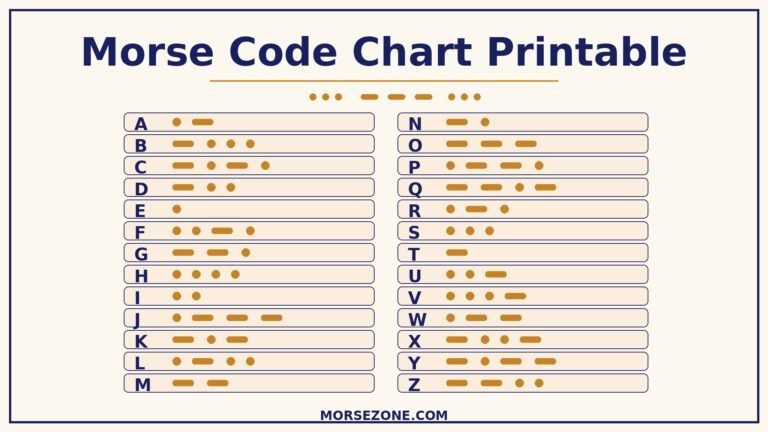
| A | .- | dit-dah |
| C | -.-. | dah-dit-dah-dit |
| W | .-- | dit-dah-dah |
| P | .--. | dit-dah-dah-dit |
| & (ampersand) | . -... | dit-dah-di-di-dit |
Notice how the first four elements of the at sign — .--. — are exactly the letter P. The at sign is P plus a dash and a dot. That gives you a useful memory hook: send P, then add dah-dit. The ampersand, by contrast, is a different shape altogether, which is why it rarely gets confused with @ despite both being late additions to the code.
The history of Morse code is full of these small design decisions. The original American Morse code of the 1840s used a different set of patterns, and it was the international version — standardised through the ITU — that became the global system used by ships, armies, and amateur radio operators for more than a century.
Practice: Try These Examples
The fastest way to lock in a new character is to use it in real strings. Type these into the Morse Code Translator and listen to the audio:
- hi@example.com — hear the @ sitting naturally between the name and the domain.
- hello@world — a short, friendly practice string.
- cq@73 — a playful radio-style string mixing the at sign with the ham greeting 73.
- a@b — the shortest possible test: two letters with @ between them.
Then try sending the pattern yourself on a key or by tapping on a table, aiming for even timing. Record yourself and play it back — if you can recognise your own @ at 15 WPM, you have learned it. For more practice material, the famous messages in Morse code collection shows how real historical messages were built from these same building blocks.
Frequently Asked Questions
What is @ in Morse code?
The at sign (@) in International Morse Code is .--.-. — dot, dash, dash, dot, dash, dot. It was officially added to the code by the ITU in 2004, making it one of the newest Morse characters.
How do you write an email address in Morse code?
Send the username letter by letter, then the at sign .--.-., then the domain. For example, “hi@example.com” is sent as H I, then .--.-., then E X A M P L E, then the period .-.-.-, then C O M. Keep the gap between characters at three units so the listener can separate each character clearly.
Why Is the At Sign’s Morse Code Made from A and C?
The pattern combines the codes for A (.-) and C (-.-.). In telegraph shorthand the @ was known as “commercial at”, abbreviated AC, so the ITU built its code from those two letters. It is the same design logic used across the code — new symbols borrow the shapes of familiar ones.
Was @ part of the original Morse code?
No. Samuel Morse and Alfred Vail’s original 1840s code had no @ symbol — email was more than a century away, and the symbol was used only in commerce. The at sign was not added to International Morse Code until the ITU’s 2004 revision, which is why older Morse code charts do not show it.
Do ham radio operators actually use @ in Morse code?
Yes, but rarely. It is used almost entirely for spelling out email addresses during a contact. Most everyday amateur radio traffic uses letters, numbers, prosigns, and Q-signals, so @ is a specialist character — useful to know, but not one you will hear every day on the bands.
Conclusion
The at sign is a small but satisfying piece of Morse code: the newest official character, built from two of the oldest letters, and the bridge between the telegraph age and the email age. Learn its rhythm — dit-dah-dah-dit-dah-dit — practise it inside a real email address, and you will have completed the full punctuation set. From here, the next step is speed: keep practising with the Morse Code Translator, and the whole alphabet will soon flow as sound rather than dots and dashes on a page.